 ShelfQuay
A place for your saved directories
Your archive.
One search away.
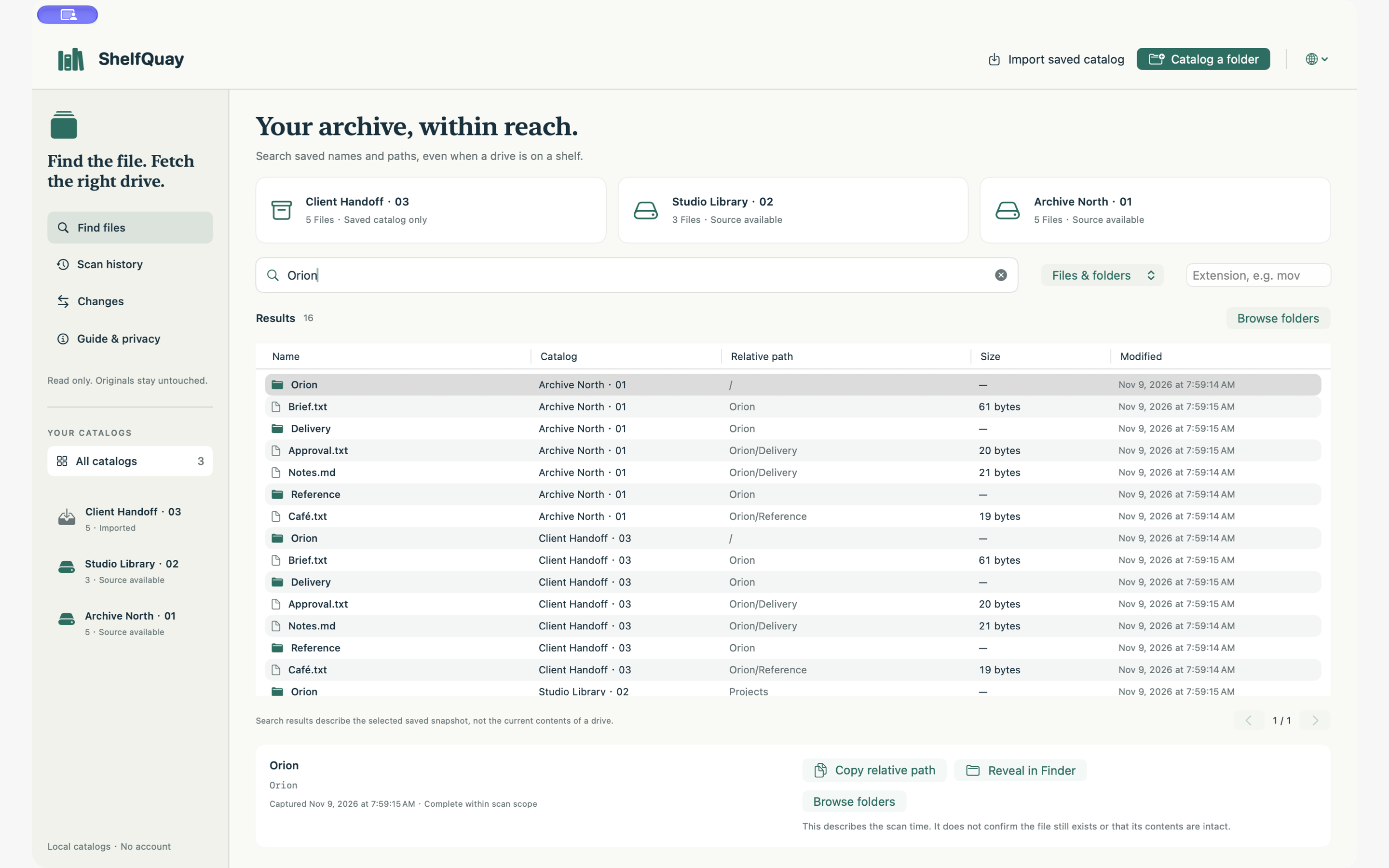
Remember what is on a drive, even when it is on a shelf. Search saved names and paths, check the scan scope, and share a readable directory.
Planned US price: $2.99 once · No subscription
In development. The Mac app is not available to buy yet.
macOS 14 or later · Apple Silicon and Intel. One-time purchase with no subscription or in-app purchases.
15 languages · 19 regional pages
ShelfQuay · macOS
Less plugging in. More finding.
ShelfQuay saves a directory, not your files. Use it to locate an archive drive or hand off a list of what was recorded.
- 01
Read the directory
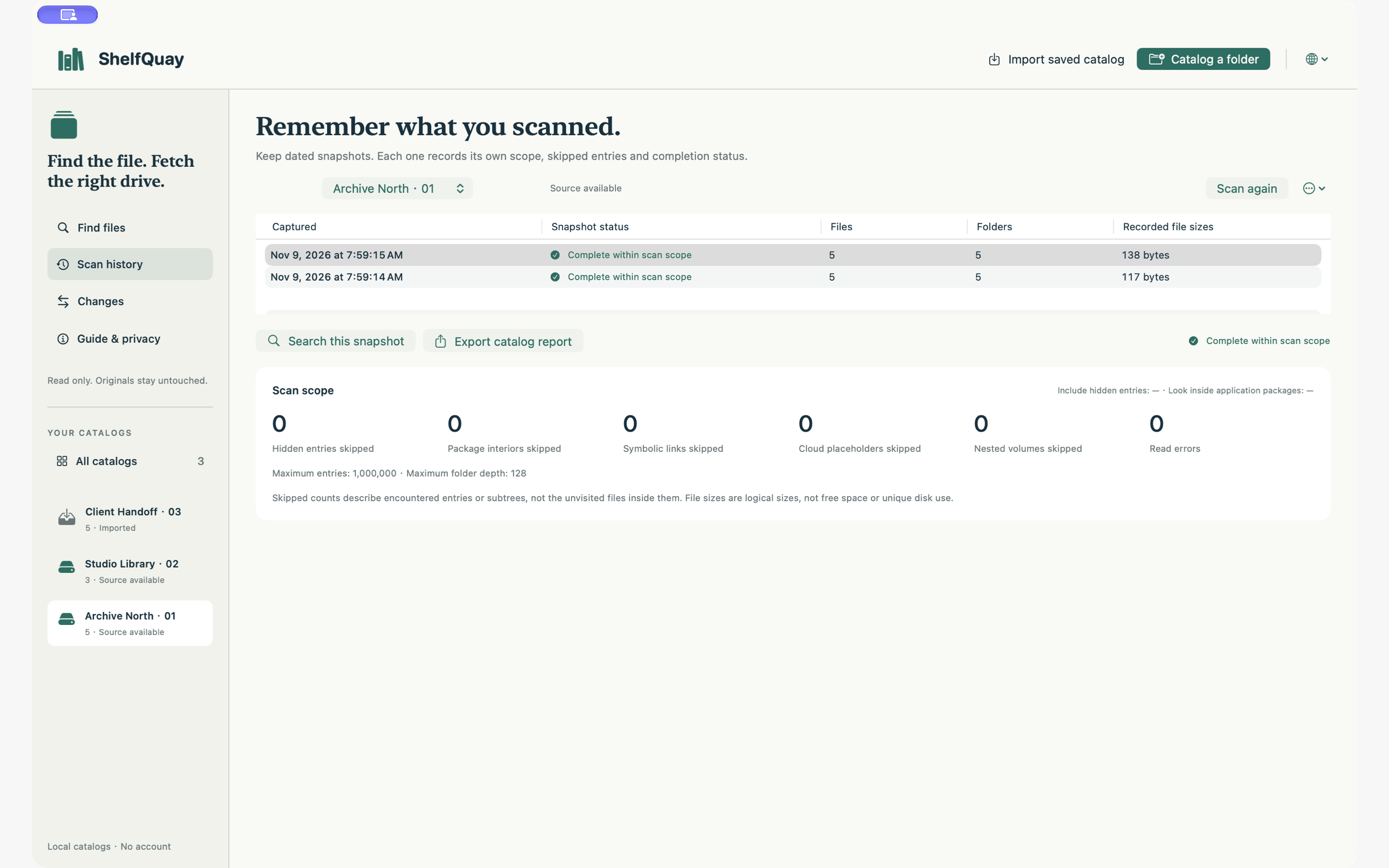
Choose a mounted folder or drive. Start a scan yourself; see counts, skipped scope and read errors.
- 02
Find the right source
Search saved names and relative paths across your catalogs. Every result belongs to a dated snapshot.
- 03
Keep a useful record
Compare eligible scan versions or export JSON, CSV and a searchable HTML directory into a new folder.
ShelfQuay · Free catalog viewer
A directory you can take with you.
Open a ShelfQuay portable JSON report in your browser. Search recorded names and paths without the original drive or the Mac app.
Saved metadata only. This viewer neither reads your source files nor uploads the report. It does not confirm current availability or file contents.
Browser limit: 8 MiB / 50,000 entries. Whole-number values must fit JavaScript's safe numeric range. The Mac app supports larger catalogs.
| Name | Relative path | Kind | Size | Modified |
|---|
No matching entries
ShelfQuay
Know what a catalog can tell you.
Scans are manual. Additions or removals after a scan are not reflected until you scan again. The latest complete snapshot is used for ordinary searches; if a catalog has no complete snapshot, its latest incomplete snapshot is shown with its status.
Changes compare only recorded paths, kinds, file sizes and modified times. Comparisons require the same catalog, original root and scan settings, and two complete scans. There is no file-content verification, rename detection, backup or synchronization.
No content search, photo or video thumbnails, Finder tags, drive-health checks, duplicate-file verification, recovery, automatic scanning, file transfers or cloud integration. A saved catalog is not a backup and cannot prove a file still exists.
Support ↗